
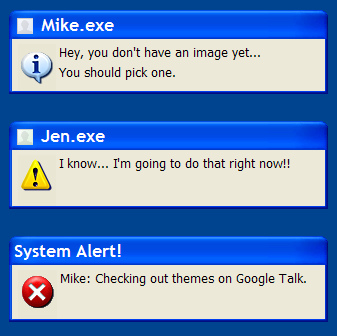
I love the way my office is set up.
You see, it's right next to the kitchen…so when I'm cooking godlike, magnificent food for my clan, I can look over to the next room to my computer and visually see if anyone has pinged me between frying the eggs and cleaning the dishes.
Thing is, though….the current Gtalk themes that are available kinda sorta blend into the woodwork if you're viewing your monitor from 20 feet away!
This has been quietly bothering me now for several weeks. And today, I decided to meself that:
Jeepers self, I'm agonna fix this problem right this very instant!
So I found the neat site
which lets you download pre-made gtalk themes.
And that's peachy!
Except….
I need some big and bold and screamingly obvious so I can visually SEE the blasted text chat window when it emerges.
So! I did some nifty neato research, and discovered:
1.) All of your gtalk themes are located in:
C:/Users/%USERNAME%/AppData/Local/Google/Google Talk/themes/system/chat/
So….all you have to do to start customizing your little heart out is to copy a theme to a new folder and begin hacking your way from the beginning to the end!
2.) Your Gtalk look/feel is determined by the file main.css .
This is located in
C:/Users/%USERNAME%/AppData/Local/Google/Google Talk/themes/system/chat/%NEW-THEME%/Contents/Resources
3.) You can change your look/feel by tweaking the CSS file "main.css".
It's really neat! For example, I added a nice shiny red button to the User name salutation area like so:
DIV.chat SPAN.salutation {
font-weight: bold;
background-image:url("images/shiny.jpg") ;
background-repeat: repeat-x;
display: block;
border-bottom: 1px solid #CDCDCD;
margin: 0px 0px 1px 0px;
}
4.) Once you play with your Gtalk main.css, you can select it via Settings | Appearance
Here's what my Gtalk window now looks like:
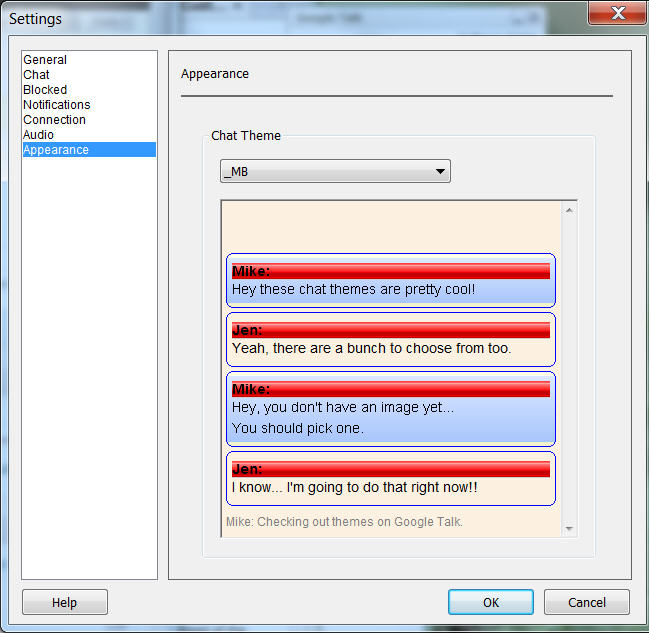
And yep, I'll agree – it's garish to the max!
But….it's something that I can actually SEE when I'm not in the same room as my computer. 🙂
Want other resources for changing your gtalk skin? Check out:
- How to Create a New Google Talk Theme
- Hacking Google Talk Themes
- Change the background Picture of the Gtalk
- Google Talk Theme – Windows
It really is quite useful indeed.
Enjoy,
Barbara Ling


 Get Started Here
 You’ll love what you learn… Promise!