
Morning!
You’re probably aware that Google Hangouts is one of the best “secret weapons” anyone has at their fingertips for authority building online (where else can you automatically create content for your YouTube Channel with no extra steps?)….
But were you aware of how easy it is to brand yourself while actually *holding* a hangout online?
Whenever you run a Google Hangout, you can use their Google Hangout Toolbox to display a “lower third” graphic like so.
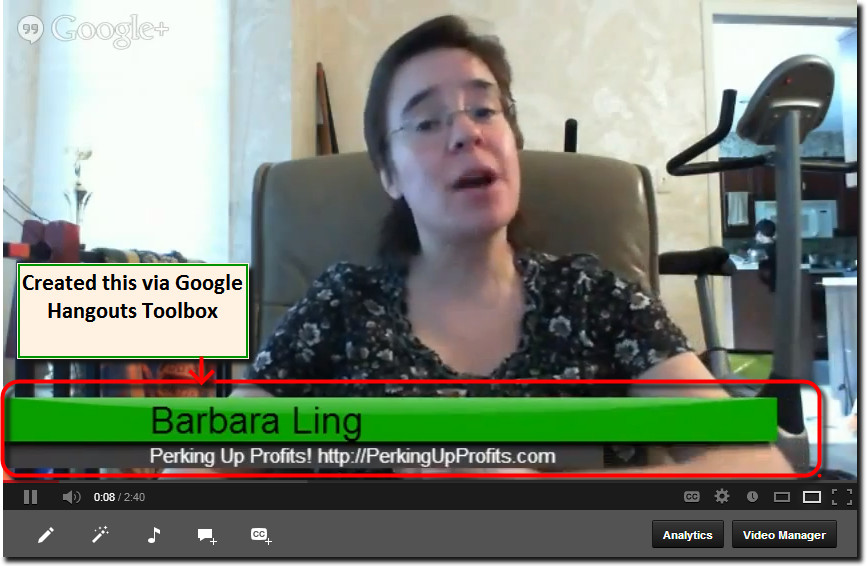
The dimensions are 640×360 and you can see how it grabs attention (plus how I am able to include PerkingUpProfits.com as well!).
Now, you can either use Google Hangouts Toolbox Proper like so:
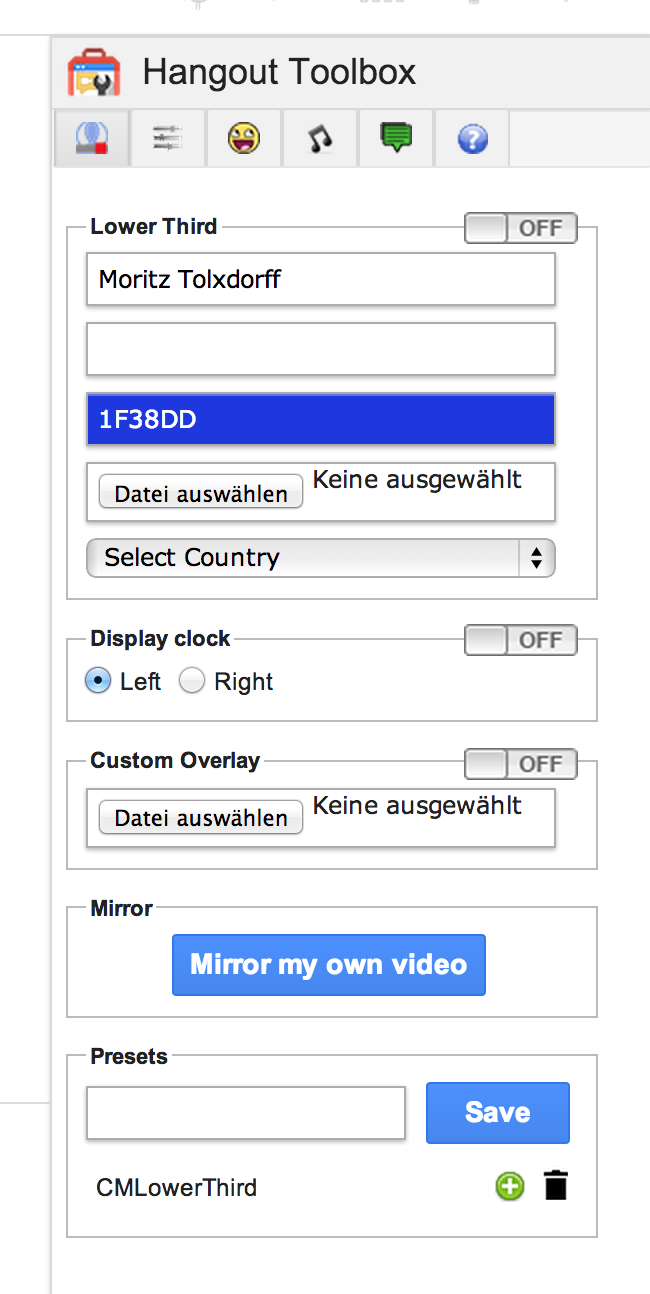
or (and this is really cool!) use a service like:
This site lets you choose your colors, your titles, your message, and then download a transparent png image you can then include in your own Google Hangouts.
provides you with a direct link to incorporate the Google Hangout toolbox; it’s a very easy way to visually get your message across.
Neat, aye?
Grow strong,
Barbara Ling


 Get Started Here
 You’ll love what you learn… Promise!